How to use the Compass Romer Scales
The compass romer scales can come in a variety of sizes. On another pages I have discussed how to take a bearing using a compass and how to take a grid reference. When taking a grid reference we either estimated the reference or measured using the ruler on the edge of the compass. However we could also use a romer scale to work out the grid reference. You will find a variety of romer scales on some compasses. There are compasses that do not have romer scales, usually because the compass base plate is too small to accommodate the romer. If you want to use a romer but your compass does not have one you may buy a romer scale separately, usually on a small piece of clear plastic. You will find a sample of those tools at gthe bottom of this page. The compasses I use on my courses have three romer scales printed on them. 1:50k, 1:40k and 1:25k.
Which Romer Scale To Use?
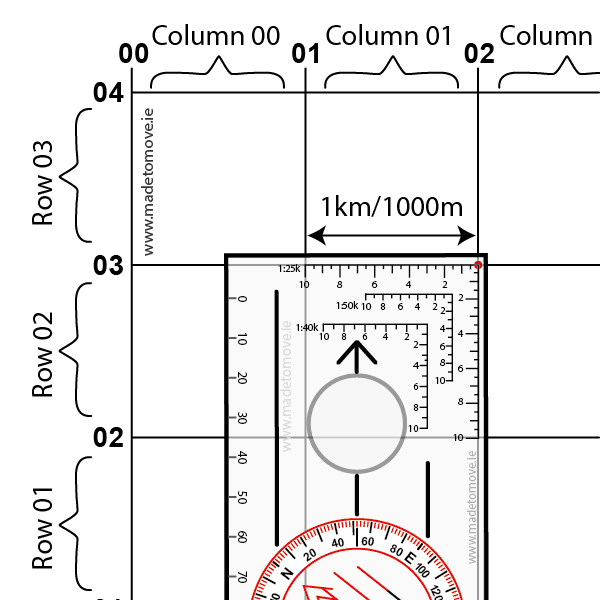
Choose the correct romer scale to use on your map by matching the romer scale to the map scale. The map scale can be found printed on the map or else match your romer scale to the space between the grid lines. Fig 2: shows a romer scale of 25k being matched to a map of 1:25,000.
I have drawn a red dot to indicate the corner point on the romer scale where we start measuring from. For the 1:25k romer this point is very close to the top right corner of the compass but it is not on the corner of the compass. It is a few millimetres inside.
Romer Scale Numbers Explained
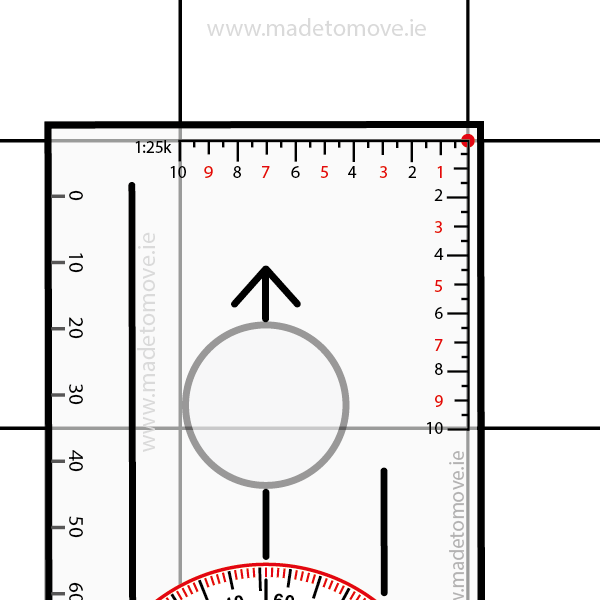
Fig 3: For clarity I have removed the 1:40k and 1:50k romer scales. from this compass illustration. Here we are using a map grid 1:25,000 (1mm = 25 metres) and a 1:25K romer scale.
For space saving reasons on the compass all the romer scales are missing numbers so it may be difficult to understand what is happening initially. I have added the missing numbers to the 1:25k romer scale in RED.
Taking A Grid Reference Using A Romer
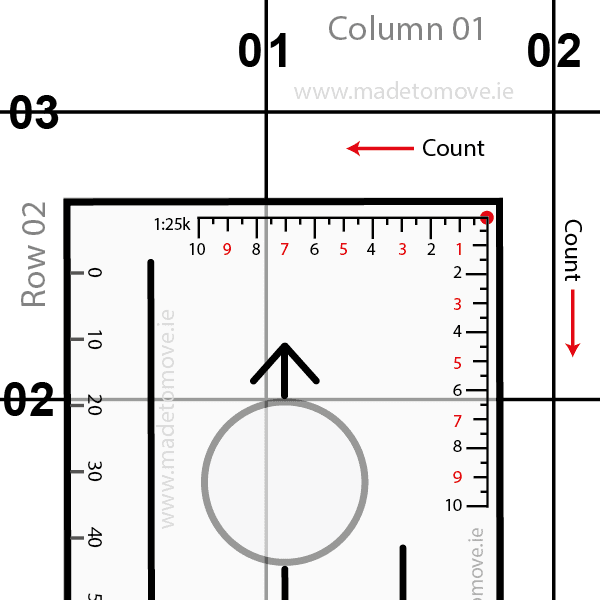
Fig 4: Place the corner of the romer scale on the point you want the grid reference for. In Fig 4 this is indicated by the red dot. Line up the compass with the grid lines on the map so the compass edge is running parallel to the grid lines.
In this example I’m not going to add any letters to the grid reference.
The red dot is in Column/Easting 01, Row/Northing 02. The red dot’s four digit grid reference is 01 02. Now we want a six digit grid reference. We will add an extra digit to the Easting and Northing.
Using a romer scale count the Eastings and Northings
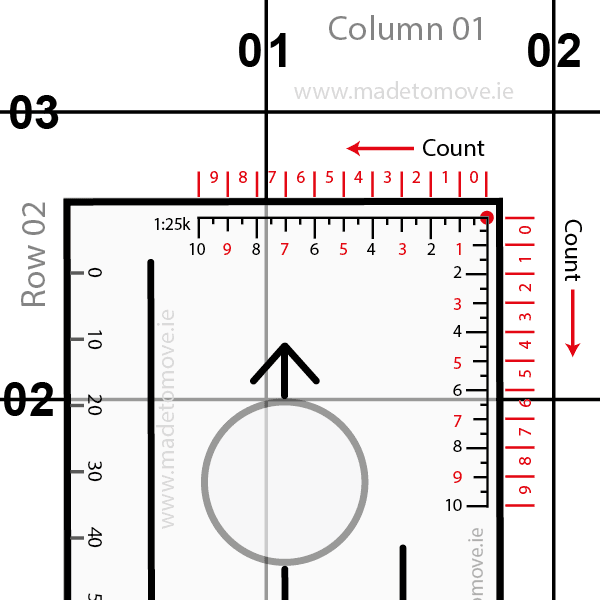
Fig 5: I have added the columns and rows on the outside edge of the compass in red. First count the Column/Easting. From the red dot count the column numbers right to left. The North South 01 Grid Line intersects the romer scale between 7 and 8, that is in column 7.
Then count the Rows/Northing. From the red dot count the row numbers top to bottom. The East West 02 Grid Line intersects the romer scale between 6 and 7, that is in row 6.
The full grid reference for the red dot is 017 026
Grid reference tools
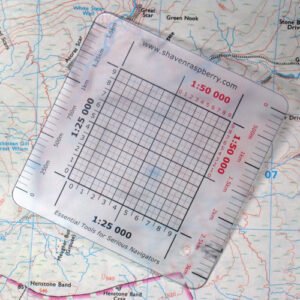
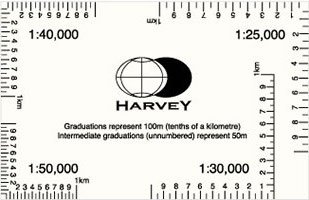
Fig 7: You can also find other tools such as the Harveymaps.co.uk grid reference tool with 1:25k, 1:30k,1:40k and 1:50k romer scales.